Download a program from a small project, run it, and Windows often stops to warn that its publisher is unknown. Nothing has to be wrong with the program for that to happen. Windows simply cannot tell who made it, or whether anyone changed it on the way to you.
A code signature answers both questions. It is a seal only the publisher can apply, checked by Windows each time the file runs, and it breaks if a single byte of the file changes afterward. Release candidate two still went out unsigned. From release candidate three, every release of the Phaethon launcher carries a signature.
Windows now names Phaethon as the publisher. SmartScreen, the filter that warns about downloads it has not seen much of, judges reputation on top of that, and a signature is what that reputation builds on, one download at a time.
Signing everything, in the right order
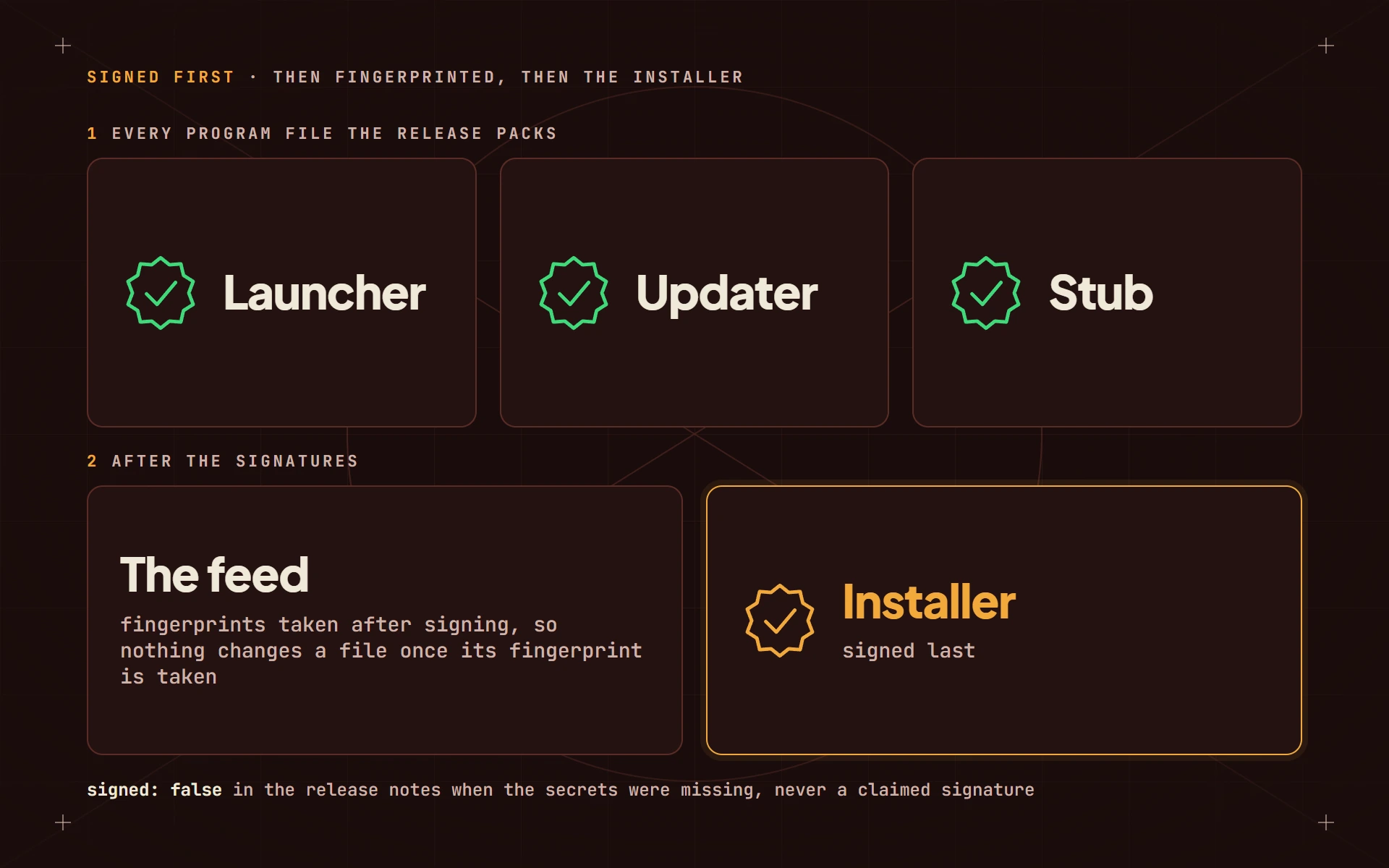
Signing the installer alone would not have been enough, because the launcher updates itself. The release job signs every program file it packs (the launcher, its updater and the small stub that starts it) and only then the installer.
The order matters. Each update comes with a feed: a list of files and their fingerprints, which the launcher checks every download against before installing it. The files are signed first and fingerprinted after, so nothing changes a file once its fingerprint is taken, and the signature and the feed always agree.
Each signature also carries a timestamp from a trusted clock, so it stays valid after the certificate behind it expires.
Refusing to pretend
Getting a certificate into an automated build machine took setup of its own. Until the signing secrets were in place, the release job still published, but unsigned, and said so in the last line of the release notes: signed: false. It never failed silently and never claimed a signature it did not have.
The same rule holds on this site. The download button says signed only when the store says the release is.
Alex (maintainer, and a mechanical engineer by trade)